Features
Everything in StitchBench and StitchShop
One program with two faces: StitchBench for the repair bench, StitchShop for the counter. A shop that does both sees both. $25/month each, add-ons included, free during the beta. Pricing.
Tickets and repairs
From the check-in at the counter to the invoice and the pickup.
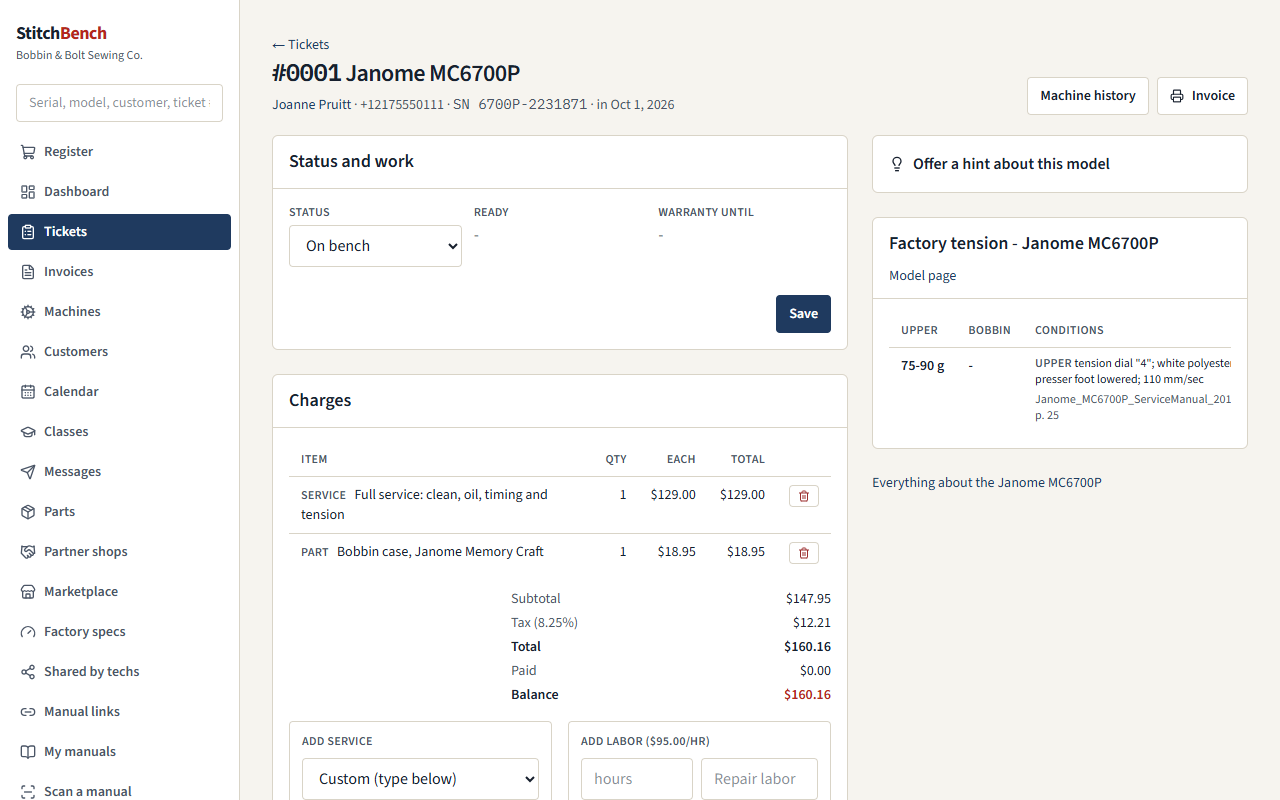
- Check-in with the customer, the machine, the problem, accessories and photos; statuses that follow a quilt-shop pickup route.
- Machines by model and serial, with photos by type (check-in condition, inside, wiring and connectors, parts, after repair), the service checklist and who did each step, and gauge readings as found and as left.
- Each machine's full service history, and every other machine of the same model the shop has worked on.
- Important facts and gotchas per brand and model, written by your techs, shown on every machine and ticket of that model.
- Service menu, labor, parts from inventory, fees, discounts, sales tax and payments; printable invoices; an Invoices area (paid, unpaid, what's owed); trade-account commission.
- Parts a ticket is waiting for, listed by supplier, with a notice to the customer when they arrive.
- Estimates the customer approves by link, and dated notices for machines nobody collects (with the Marketing add-on).
- A printable price sheet built from the service menu, and a sales log by date range with a spreadsheet export.
- Every employee has their own login, as owner, admin or tech.
Parts and inventory
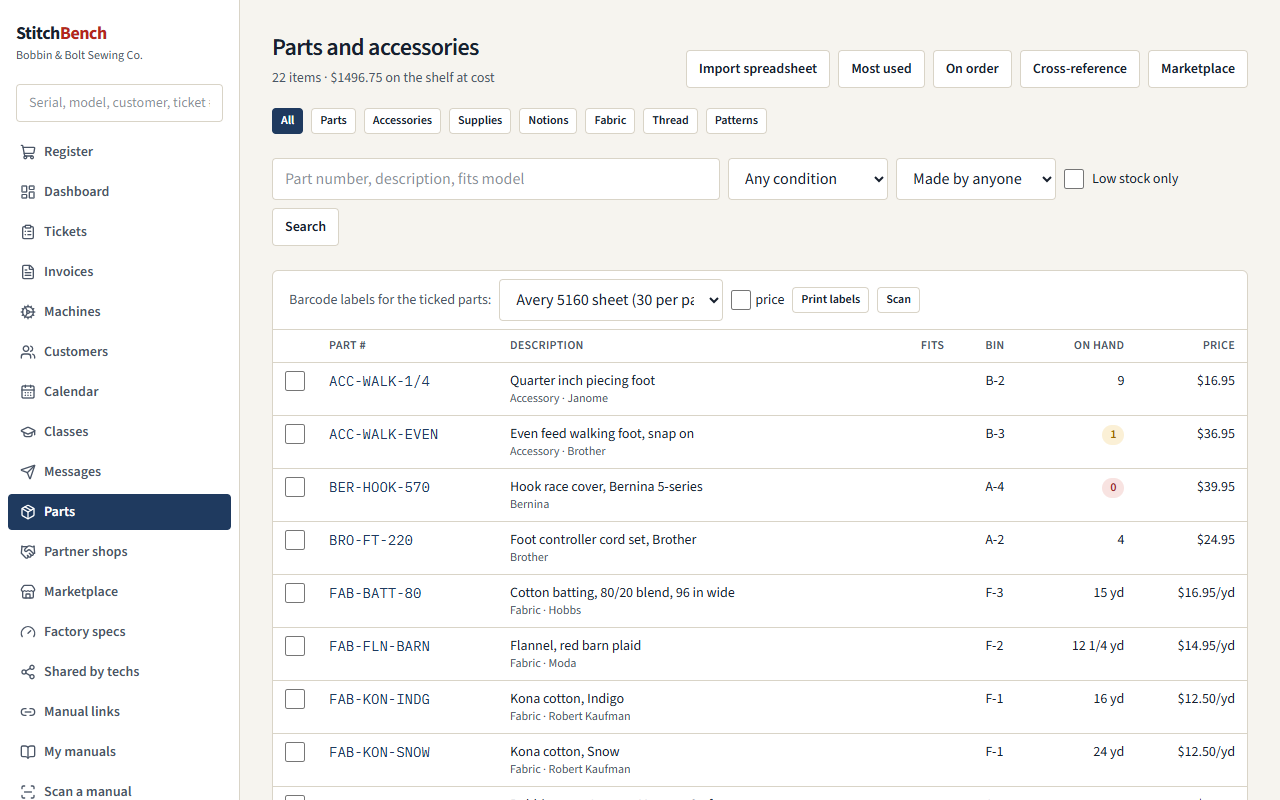
- Stock on hand, bins, reorder points, receiving and shelf counts, with automatic stock-out when a part goes on a ticket.
- New, used or refurbished; genuine, compatible or 3D printed. The customer's invoice says when a part is used, refurbished, compatible or 3D printed.
- The shop's own numbers (SB-00001) for parts the maker never numbered; they print on labels and scan like any other.
- Notions, fabric, thread, patterns and accessories, with barcode labels.
- A spreadsheet import (paste a supplier's line sheet from Excel, or a CSV) and an online lookup of store barcodes (UPC and EAN).
- Parts on order, by supplier, with Received per line or for a whole delivery.
Factory specs and test modes
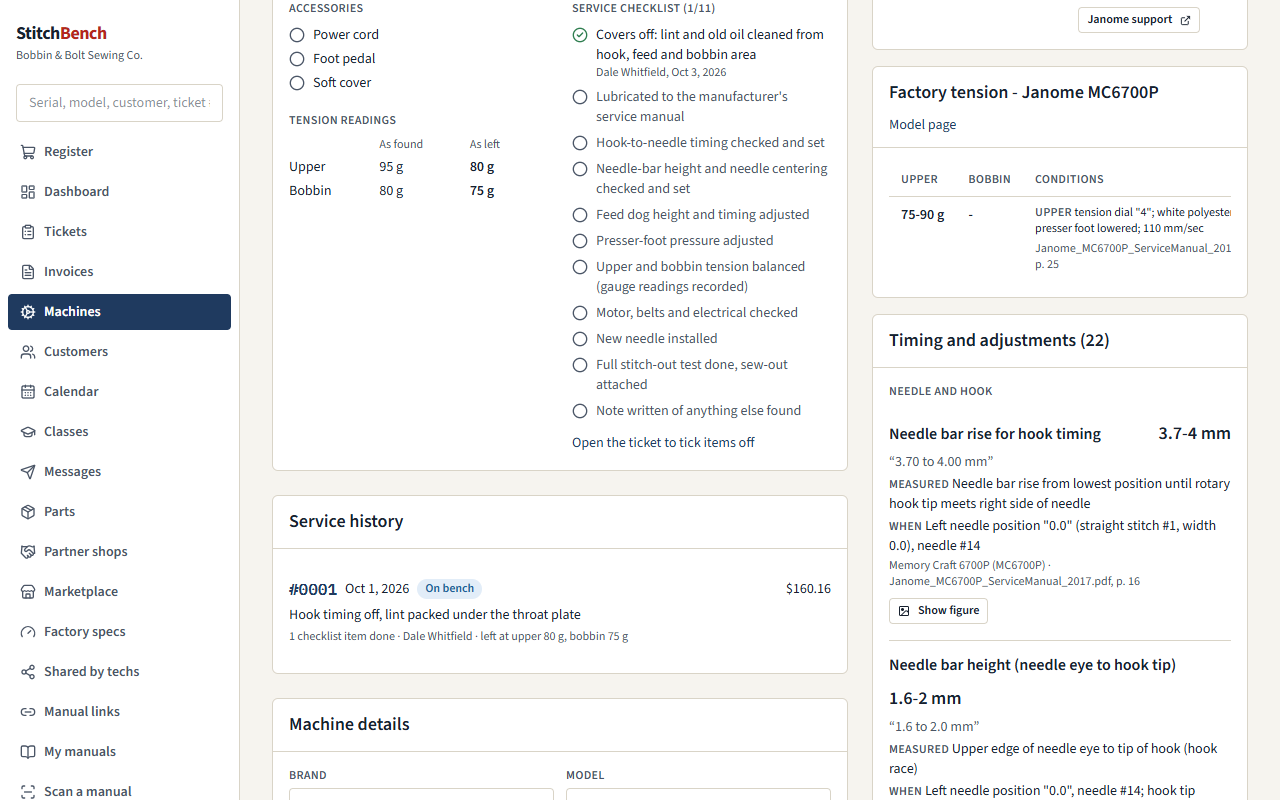
- 634 upper and bobbin tension-gauge values and more than 14,000 timing and adjustment settings, read out of OEM service, technical and operator manuals, each with its source page and, where available, the manual's figure.
- Specs matched to each machine by model, on the machine's page and its tickets.
- Test modes: how to enter and leave each model's test or service mode and what its numbered tests do, with the service manual's page and button diagram. 136 procedures from 124 service manuals are written up so far.
- Manuals at hand: on the Windows program they download straight into your shop's library, filed and matched to each model, and open beside the machine on every device. Paper manuals can be scanned into a PDF with a phone or tablet.
The community hub (free)
StitchHub is free for every shop: the community's knowledge and its marketplace. Sharing is always your choice, one item at a time; nothing about your customers is shared with the community.
- A community manual library, free with a StitchHub account Coming soon: find and download manuals on the hub's website, with or without the program. Create a free StitchHub account
- Today: the community's links to manuals published on the web, with status checks, edit history and rollback.
- Tech notes and photos, offered per model; manual figure snapshots.
- Community chat: the group's Discord, one click from the menu.
- The marketplace: offer a part to your partner shops, to every shop on the hub, or both, and say how other shops pay you.
Partner shops
A repair shop and the sewing shops that take machines in for it, working as one.
- A partner code, terms both shops accept (commission, consignment split, losses, statements, notice), and a printable agreement.
- Machines taken in at the sewing shop arrive as tickets at the repair shop; status, estimates, the customer's answer and the bill flow back by themselves.
- Ordering from the repair shop's catalog at partner prices, consignment with each sale reported, and one monthly statement netting repairs, consignment and orders.
- The two shops talk through StitchHub, so each runs its own copy of the program.
- A repair shop can set StitchShop up for a sewing shop in one step, and neither shop pays for its program.
Register and online shop
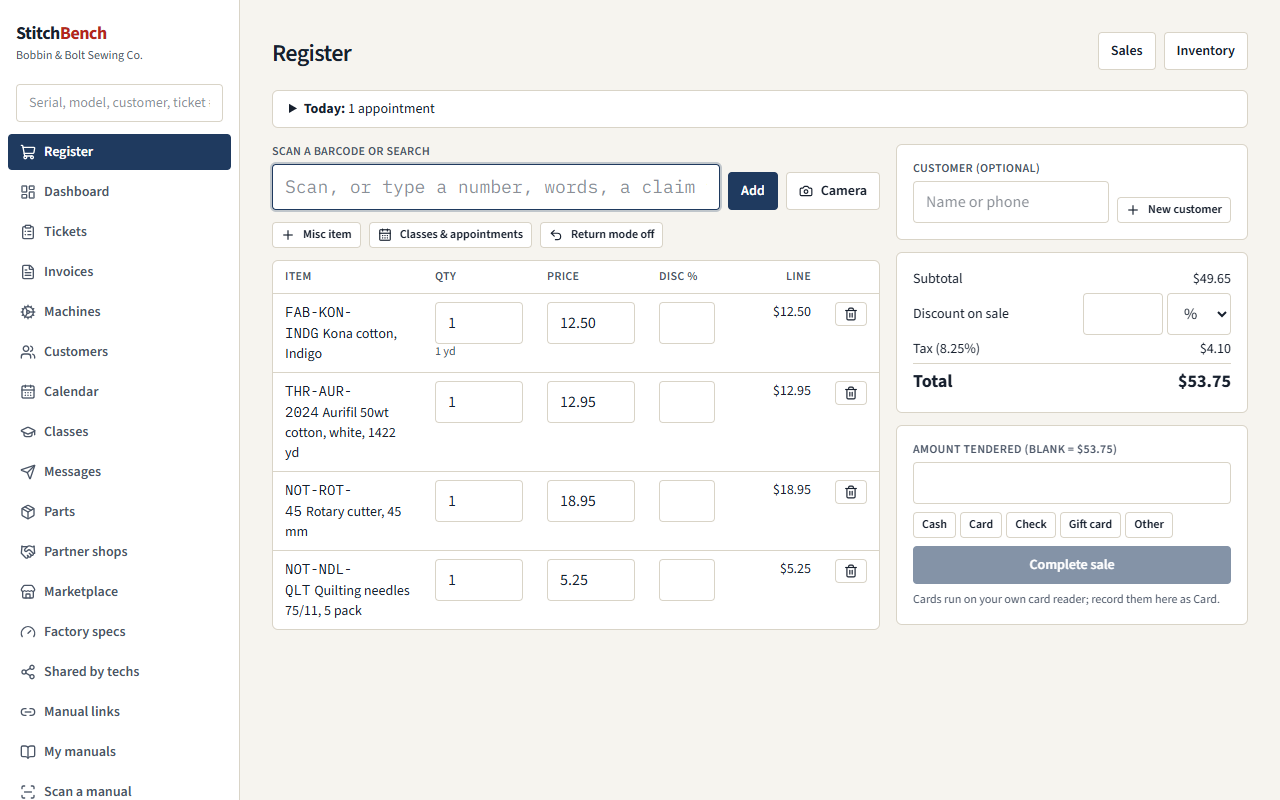
- Scan with a USB or Bluetooth scanner or a phone's camera, or search; fabric by the yard in eighths; line and whole-sale discounts; sales tax.
- Split payments (cash with change, card on your own reader, check, gift card), returns, voids, printable receipts and a day's takings by payment type.
- An online shop from the same inventory: items you choose with their own titles, descriptions and photos; pickup, shipping or both; paid through your own Stripe account; your tax rate or Stripe Tax for shipped orders.
- Online orders next to the register (paid, ready, done, cancelled with a refund), in the same books as the counter.
Scheduling and classes
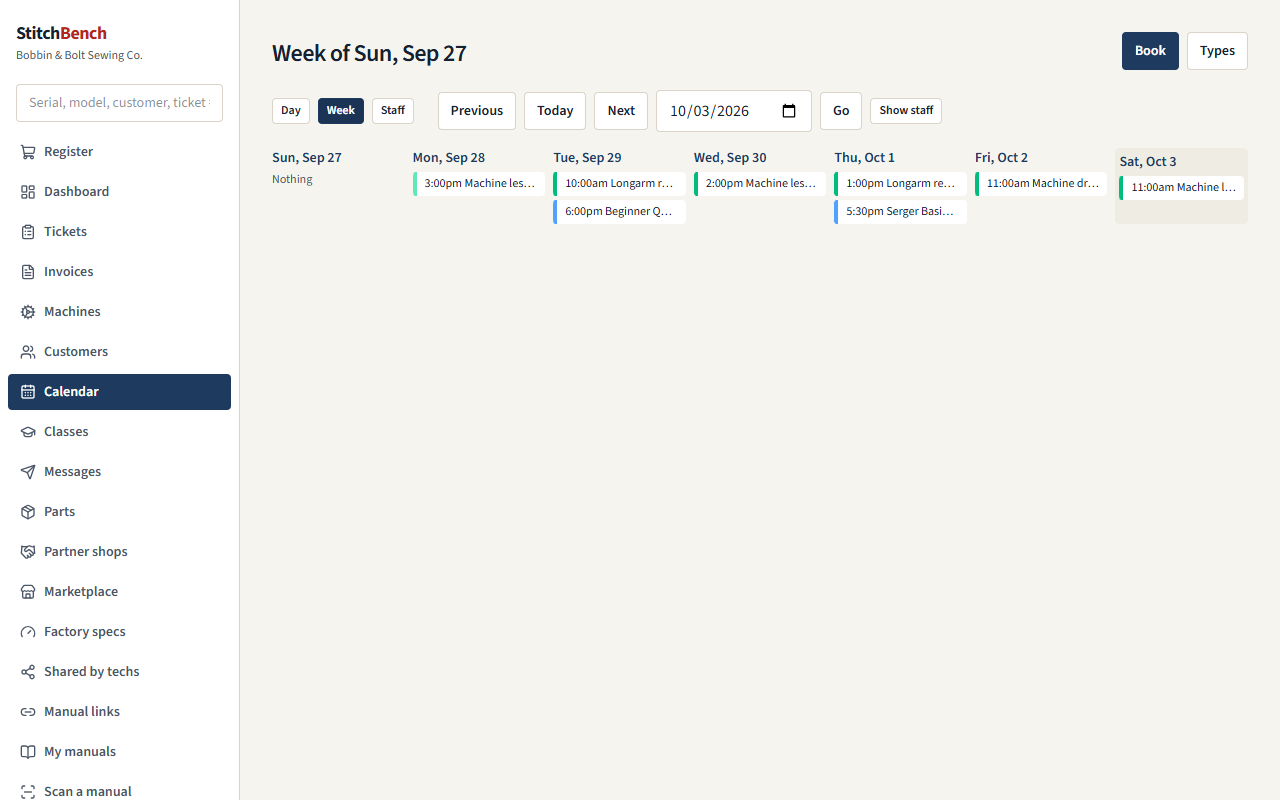
Scheduling add-on- A day and week calendar; appointment types with shared resources (two longarms, one classroom).
- Classes with seats, waiting lists, rosters and reminders; class and appointment fees rung up at the register.
- Staff shifts, and pickup runs planned with a partner shop (both shops see them).
- Online booking from your own website: appointments and class sign-ups, a link for the customer to move or cancel, and "Booked online" on your calendar.
Customer messages
Marketing add-on- Email through your shop's own mail account (Gmail, Microsoft 365, or any provider with SMTP) and texts through your own Twilio number.
- "It's ready" notices, estimate approval by link, parts arrived, uncollected-machine notices and letters, class and appointment confirmations and reminders, service-due and review requests, and online order updates.
- Campaigns to the groups you choose.
- Consent, STOP, HELP and unsubscribe handled by the book; quiet hours for texts; a daily cap; every message, reply and consent kept.
The Windows program, working offline
- Everything the shop does all day lives on the shop PC: tickets, customers, machines, the register, inventory, manuals, partner jobs already received, and the community notes and parts already synced.
- None of it needs the internet. Tablets, phones and other PCs on the shop's Wi-Fi keep working.
- What needs the hub waits: messages to partner shops are kept and sent in order when it answers again; the sidebar says Offline since … meanwhile.
- Emails and texts wait in the outbox and go when the connection is back.
- Starts with Windows and runs in the tray. On the road, reach it securely through Tailscale; tablets get a secure address for the camera scanner.
Backups
- The Windows program backs up every night after 1 am, and at start-up if the last backup is more than a day old. The last 30 are kept.
- Back up now, Open backups folder and Restore a backup from the tray. A restore backs up the current data first.
- A backup brings the whole shop back on a new PC: customers, machines, tickets, photos, parts, people, prices, listings and orders.
- Exports of tickets, customers, parts, sales and more under Settings → Your data, at any time.
Moving to another computer or server
- Move a company from an old PC to a new one, or between a shop PC and your own server, with everything: customers, machines, tickets, photos, parts and stock, sales, messages and consent records, classes, appointments, online orders, partner records and every login.
- The old copy turns read-only the moment the move file is made, so nothing entered afterwards can be lost; Cancel the move lifts it.
- Partner shops see nothing change: same partnership, same terms. The hub simply delivers to the new place.
- Passwords for mail, texting and Stripe are never put in the file; the new install lists what to enter again.
Add-ons for other kinds of repair
Included in the subscription, and switched on under Settings → Modules, on a shop PC or your own server alike. They work without the internet on a shop PC.
Vac Shop
- A vacuum repair bench.
- A bag, belt and filter finder, shared through StitchHub and rung up at the register.
- Vacuums for sale with serial numbers, warranty and warranty registration, and trade-ins.
- Bags due: reminders when a customer is due for more.
- Central vac installs on site, shown on the calendar when Scheduling is on.
Small Appliance Repair
- Stand mixers, 3D printers (filament and resin) and other small appliances.
- Kinds the shop adds itself, such as espresso machines.
- Each kind with its own intake questions, checklist, readings, accessories and service menu.
Coming soon
In the worksThe Assistant
Turns a tech's shorthand into plain sentences for the invoice or the customer, and suggests what is likely wrong from your own tickets, the community's gotchas and the factory specs. No customer names or contact details are sent, and every call is logged for you to check.
Try it in your shop: join the beta
Free during the beta · the first 10 shops free forever · otherwise $25/month each after the beta. Runs on your own computer - your data stays with you - connected to the free StitchHub network.